Overview
This was a defensive cybersecurity project for the Threat Intelligence and Threat Hunting course of my cybersecurity bachelor’s degree. The goal was to build a small SOC style lab and see how the different parts work together in practice.
The lab used Wazuh as the main SIEM, Windows Server 2022 and Bodhi Linux as monitored endpoints, pfSense as the firewall, and Kali Linux as the attacker machine for testing. We also used VirusTotal, AlienVault OTX, MISP, and Shuffle to add threat intelligence and automation.
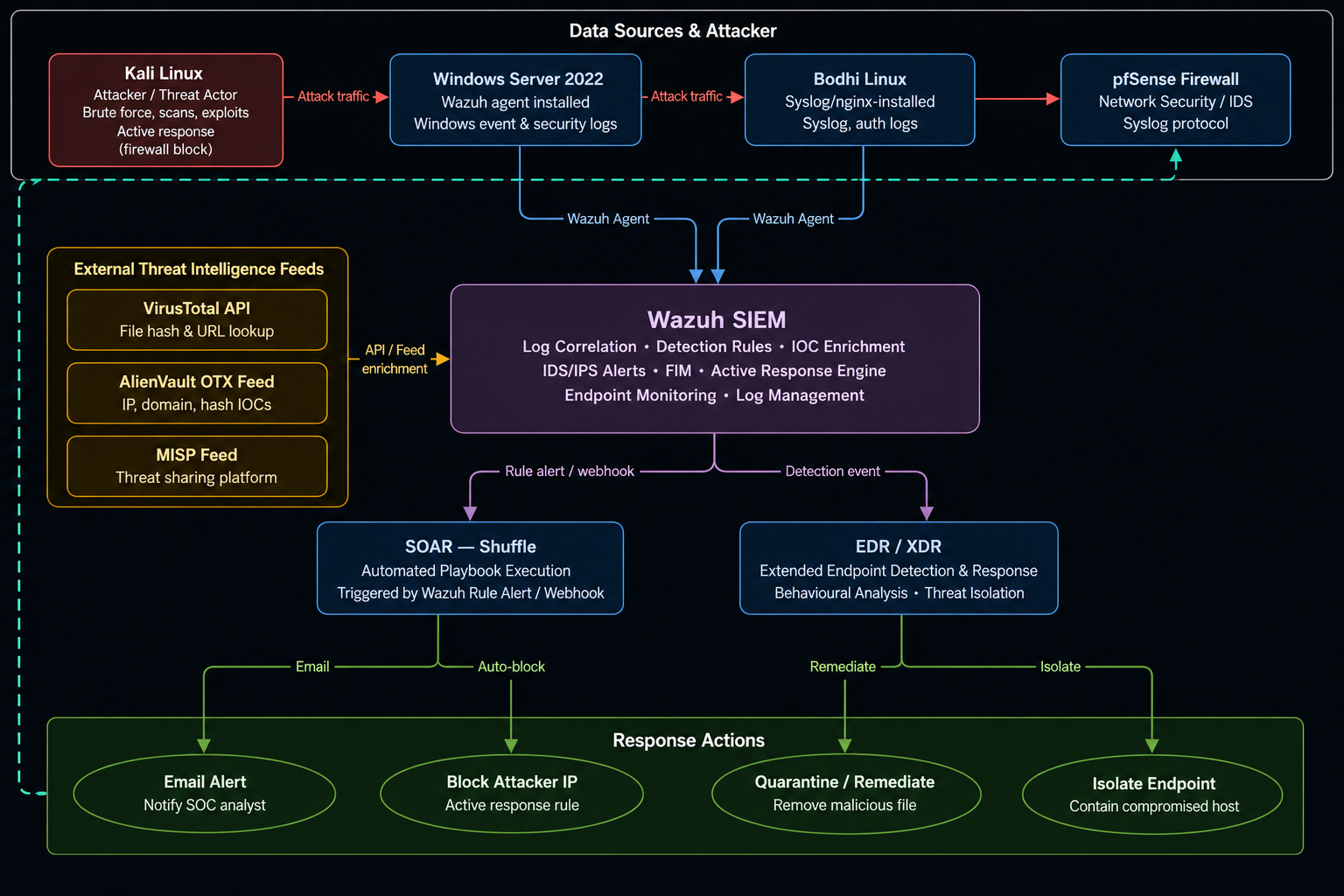
The main flow was:
logs -> Wazuh alerts -> threat intelligence check -> active response or SOAR workflow
Lab Setup
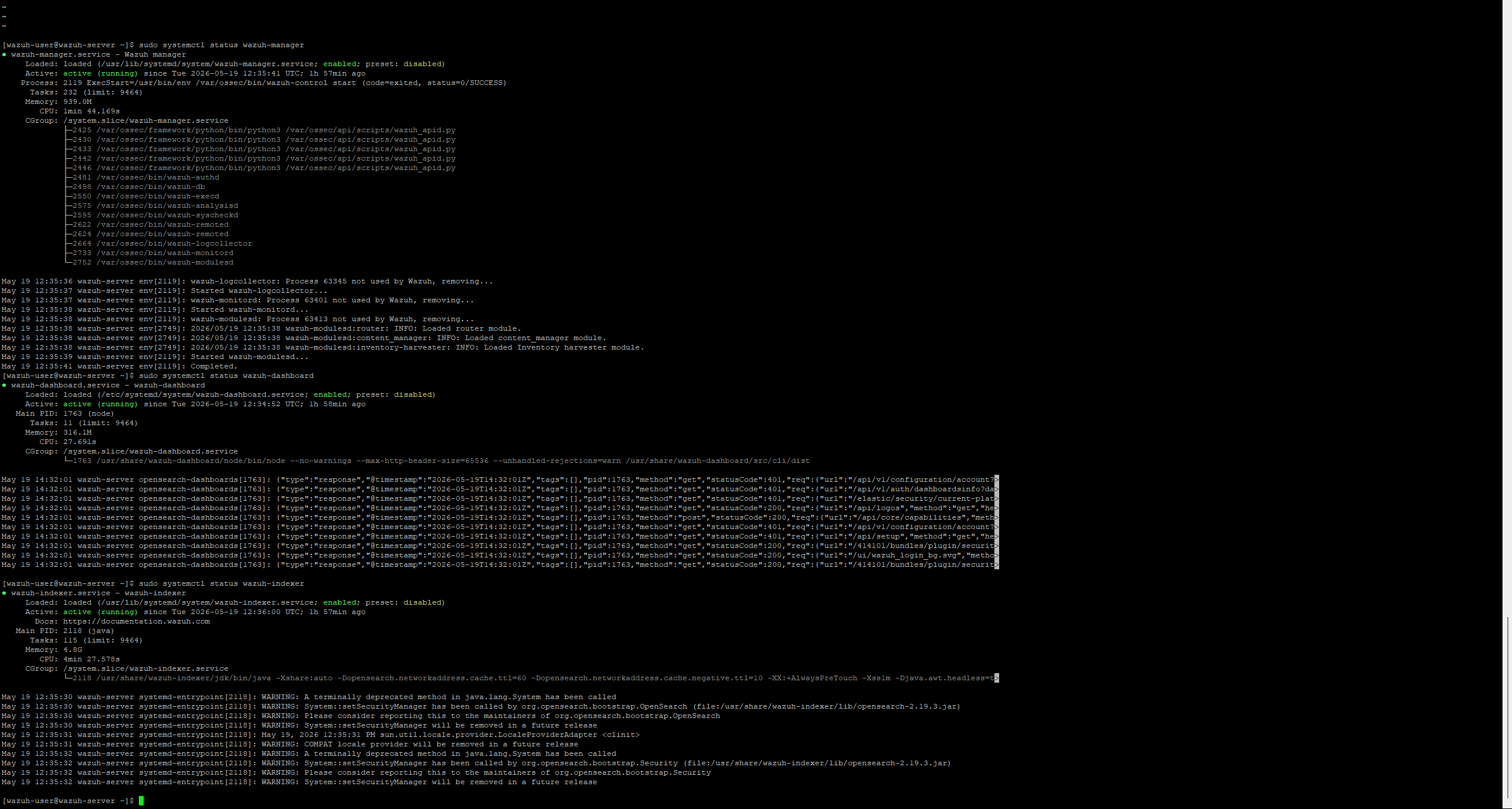
Wazuh was installed on an Ubuntu virtual machine and checked from the CLI to confirm that the main services were running.
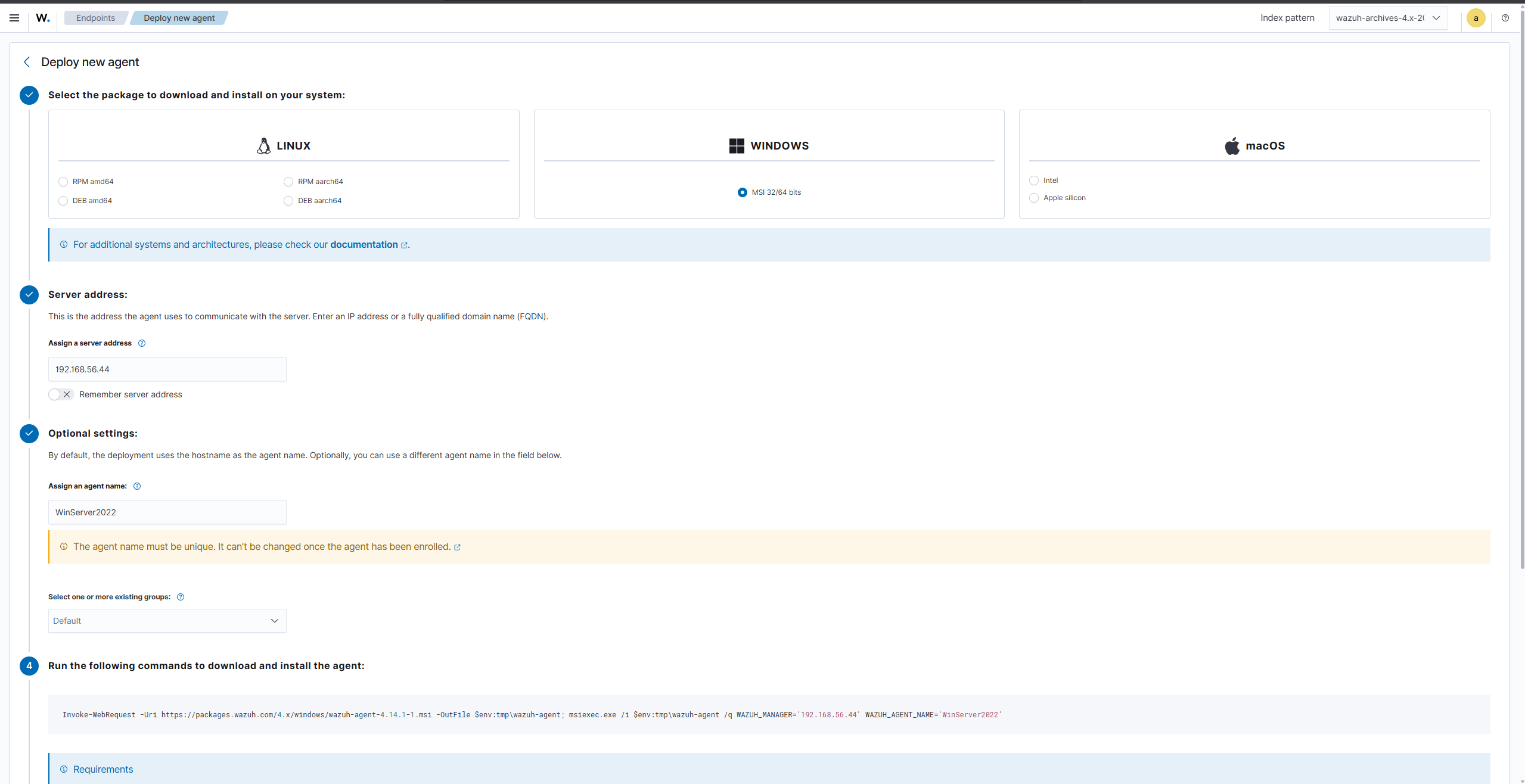
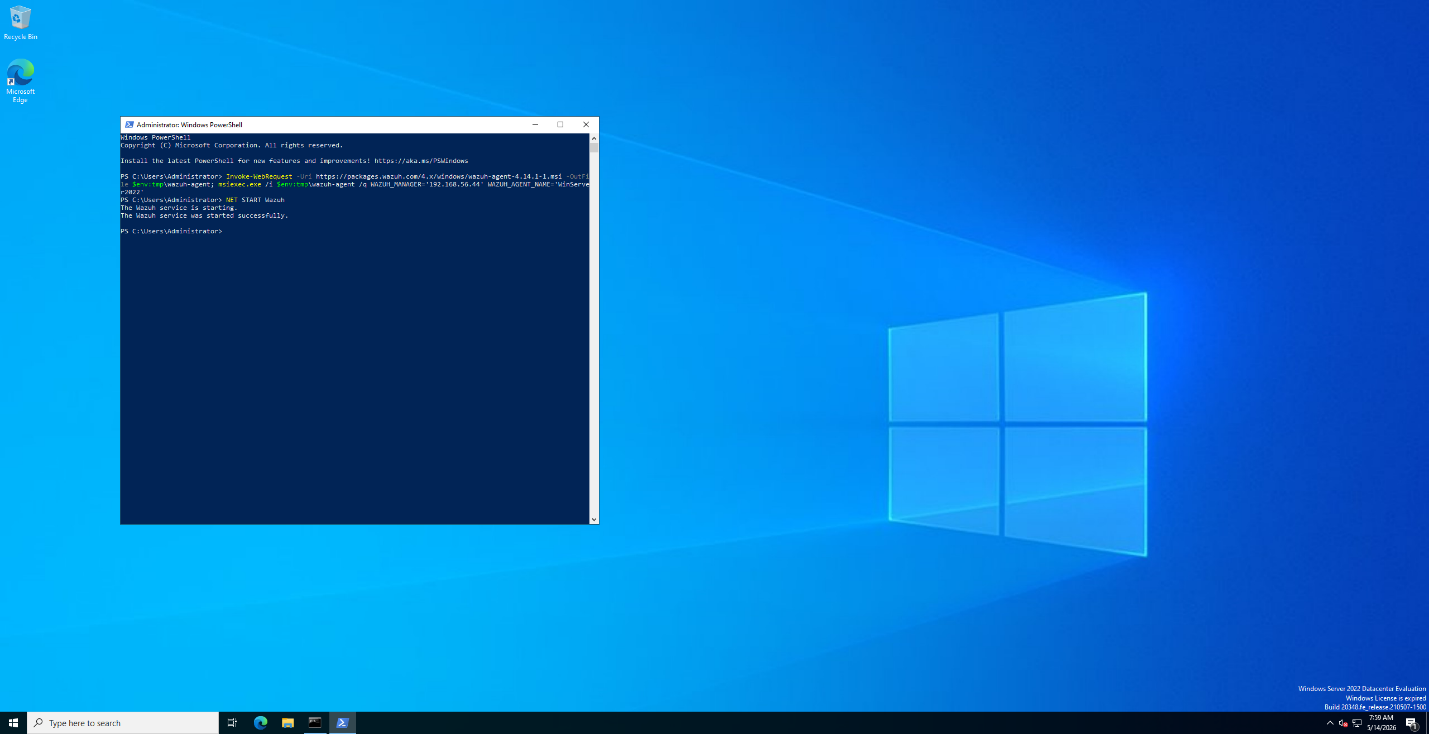
Windows Server 2022 was added from the Wazuh dashboard using the deploy agent page. The dashboard generated the PowerShell command, and after running it on the Windows machine, the agent appeared as active in Wazuh.

Bodhi Linux was added using the same Wazuh agent process.

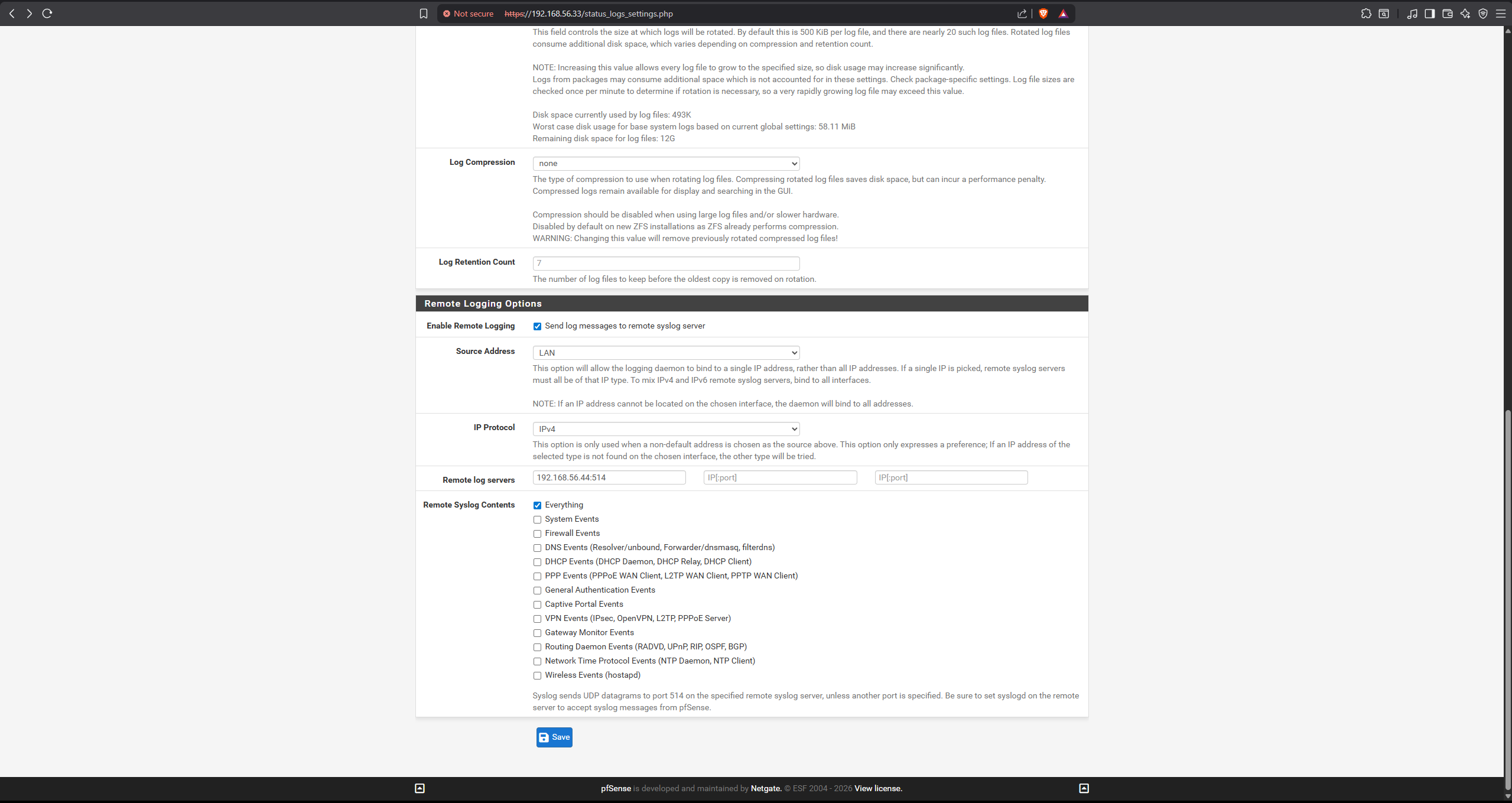
pfSense was connected through remote syslog because it does not use the normal Wazuh agent setup. This allowed firewall logs to be sent to Wazuh for monitoring.
Threat Intelligence
The project used three threat intelligence sources: VirusTotal, AlienVault OTX, and MISP.
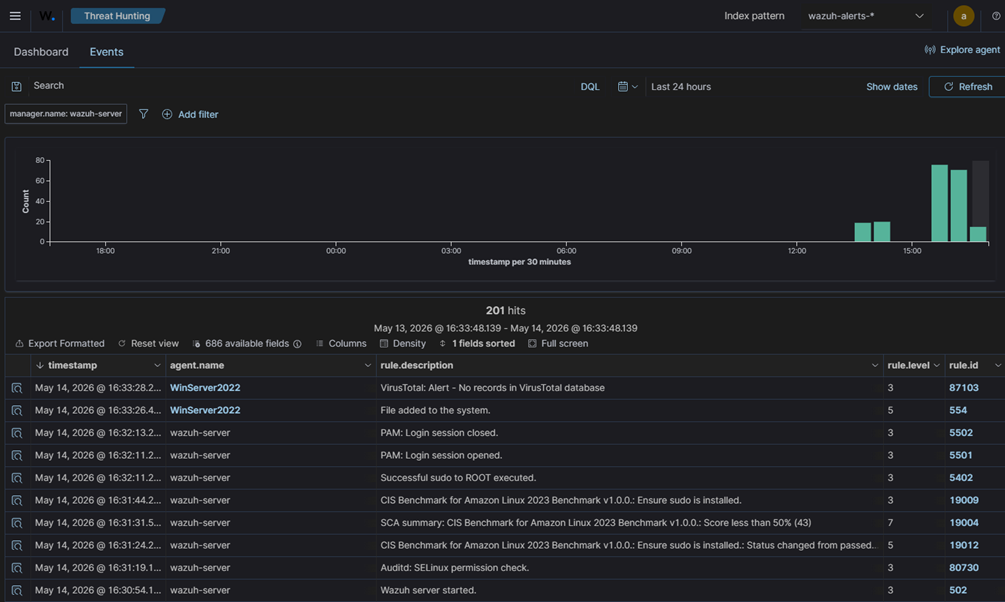
VirusTotal was used with Wazuh File Integrity Monitoring. When a file was added to the Windows Downloads folder, Wazuh created a hash and sent it to VirusTotal for lookup.
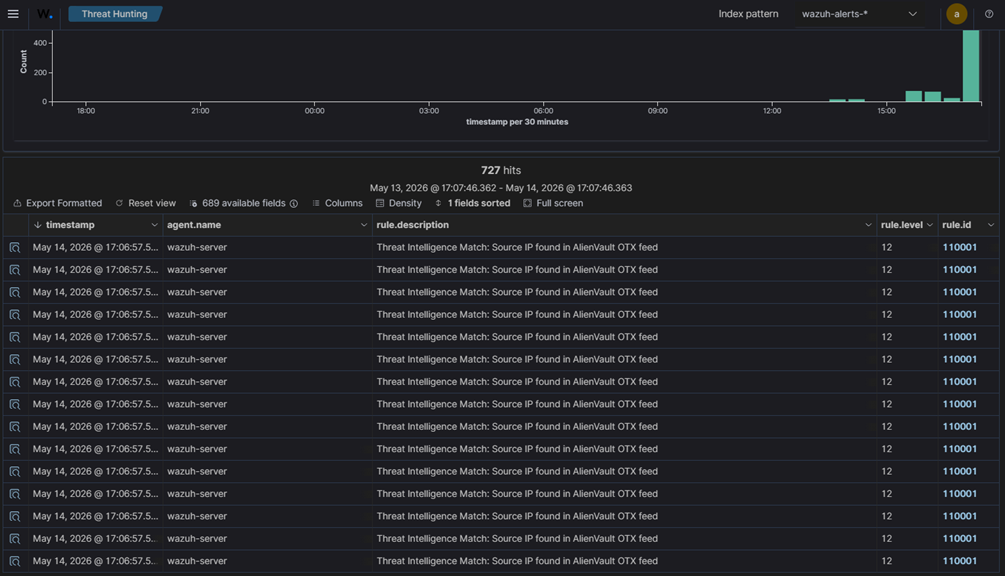
AlienVault OTX was tested using an IOC list. The Kali Linux IP was added as a safe test IOC, then traffic was generated from Kali. Wazuh matched the IP from the pfSense logs and created an alert.
MISP was tested with the same idea. The Kali IP was added to a MISP style IOC list, and Wazuh matched it when the traffic appeared in the firewall logs.
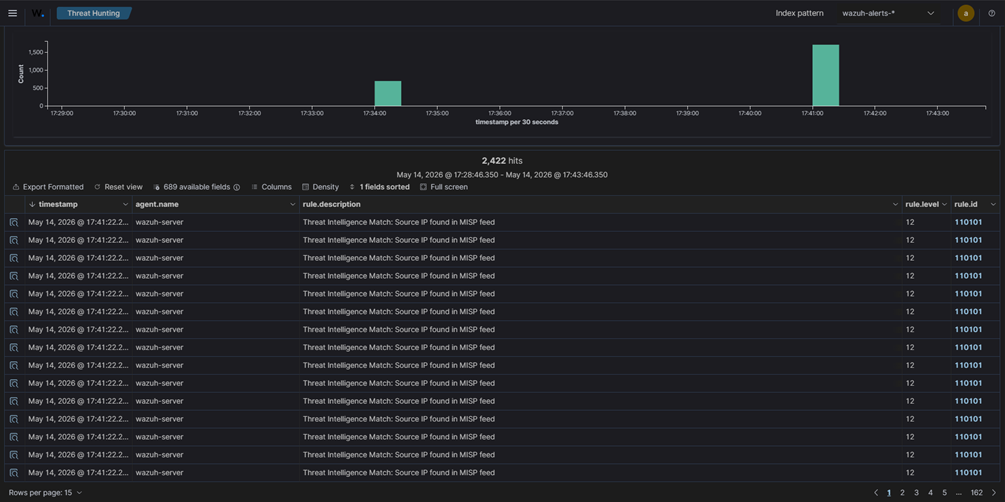
This part showed how threat intelligence can give more context during investigation. Instead of only seeing an IP address or file hash, the analyst can connect it to an external source or known IOC list.
Detection and Active Response
After the lab was connected, we tested a few attacks to check if Wazuh could detect them and respond.
The first test was an SSH brute force attack against Bodhi Linux using Hydra. Wazuh detected the repeated failed login attempts and triggered a custom rule. After that, active response used firewall drop to block the attacker IP with iptables.



The second test was unauthorized account creation on Windows Server 2022. Wazuh detected the account creation event and triggered a PowerShell active response script that disabled the new account.

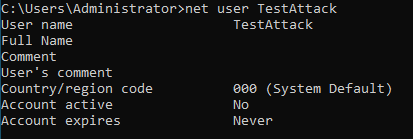
The third test was SQL injection detection against Apache on Bodhi Linux. Wazuh monitored the Apache access logs, detected the suspicious request, and triggered the firewall drop response.

SOAR Automation with Shuffle
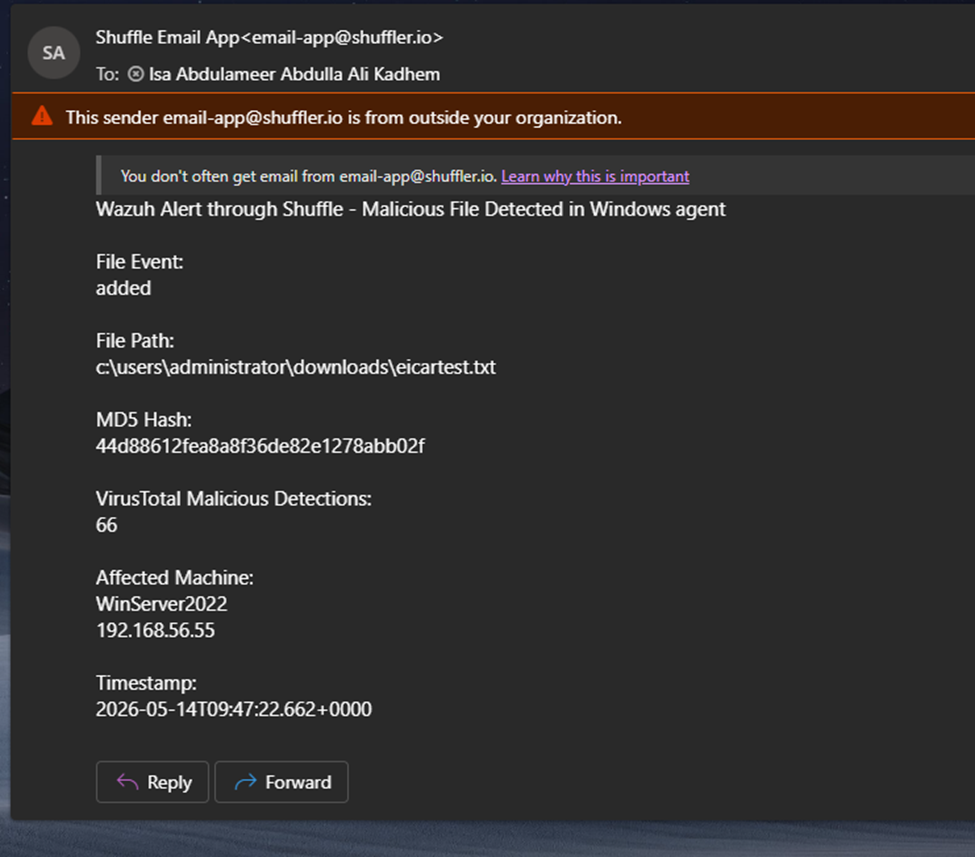
The SOAR part used Shuffle to automate file alert enrichment. The workflow received Wazuh alerts through a webhook, sent the file hash to VirusTotal, checked the malicious detection count, and sent an email to the analyst if the result passed the condition.
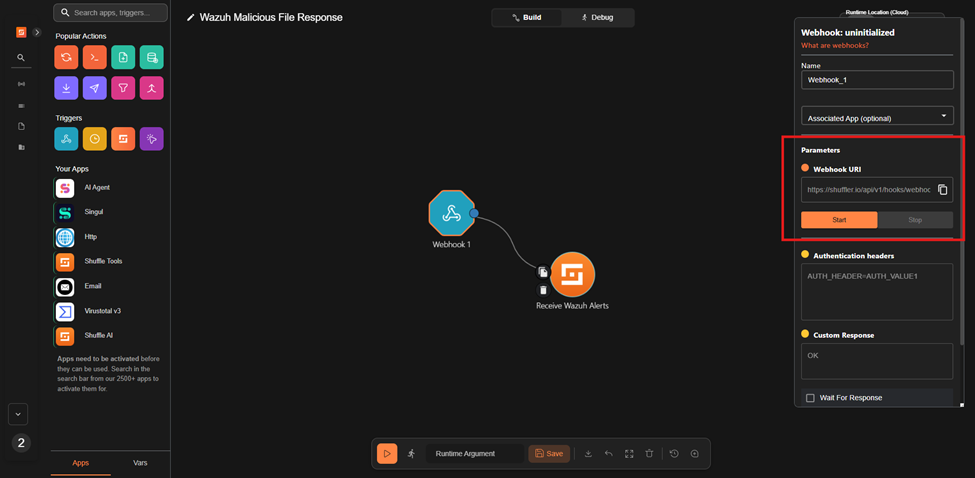
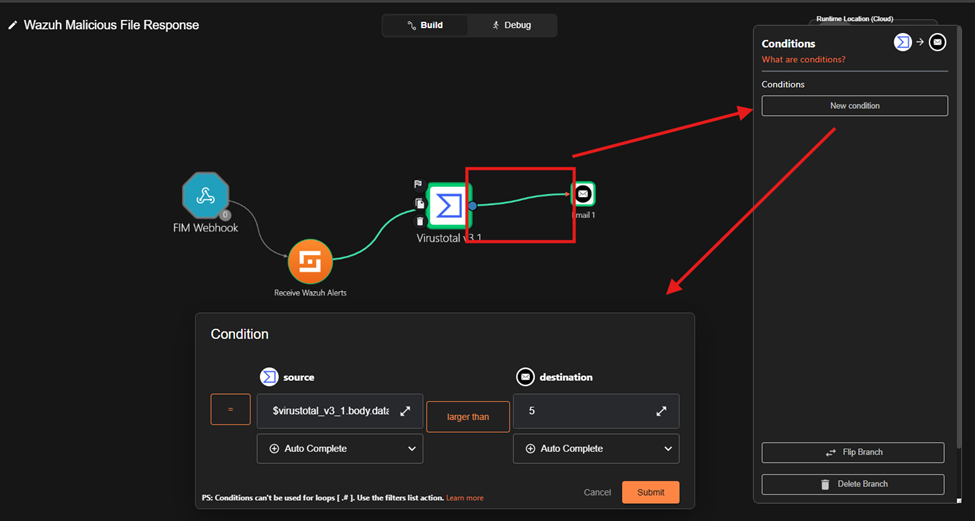
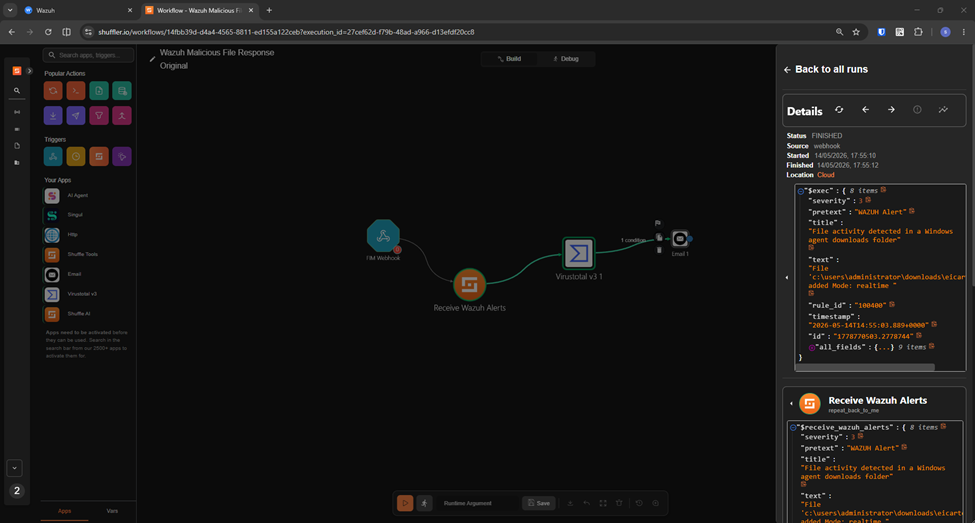
To test the workflow, we used the EICAR test file. It is harmless, but it is made to test if security tools detect it correctly. Once it was downloaded to the monitored folder, Wazuh detected it, Shuffle processed the alert, VirusTotal checked the hash, and an email alert was sent.
What I Learned
This project helped me understand how defensive tools connect together in a SOC workflow. Wazuh was not only collecting logs. It was also detecting suspicious activity, using custom rules, enriching alerts, and triggering active response.
It also showed me that defensive work depends a lot on clean configuration. If the log source, rule field, webhook, or active response path is wrong, the alert will not work properly.
The automation part was useful too. SOAR can reduce manual work by enriching alerts and notifying the analyst, but it needs to be tested carefully. Automated blocking and account disabling can help, but bad rules can cause false positives.
Final Thoughts
Overall, this was a useful defensive project because it covered the full SOC flow in a small lab.
We collected logs, created detections, used threat intelligence, tested active response, and built a simple SOAR workflow. It made SOC work feel more practical, especially the parts related to monitoring, triage, enrichment, and response.