Command Injection Simulator
An offline OS command injection simulator built as a single HTML file. It uses a Burp Suite style Repeater and a simulated Linux terminal so users can practise command injection techniques without setting up a vulnerable server.
Overview
The project was inspired by the command injection module in HTB Academy. I built it while preparing a video for my CyberGuru YouTube channel so viewers could practise the techniques shown in the video without needing a vulnerable server or a full lab setup.
The simulator gives the user two ways to test payloads: a Burp Suite style Repeater interface and a simulated Linux terminal with mock curl requests. All commands, responses, and network activity are simulated inside the browser.
Why I built it
Command injection is easier to understand when you can edit a request, send a payload, and see how the result changes.
Setting up a vulnerable server is useful, but it can take time and may not be suitable for someone who only wants to follow a lesson or practise a specific bypass. This simulator keeps the full experience inside one HTML file.
Main features
The encoding buttons only modify highlighted text. The user selects the exact part they want to transform before pressing a button.
Screenshots
Repeater view
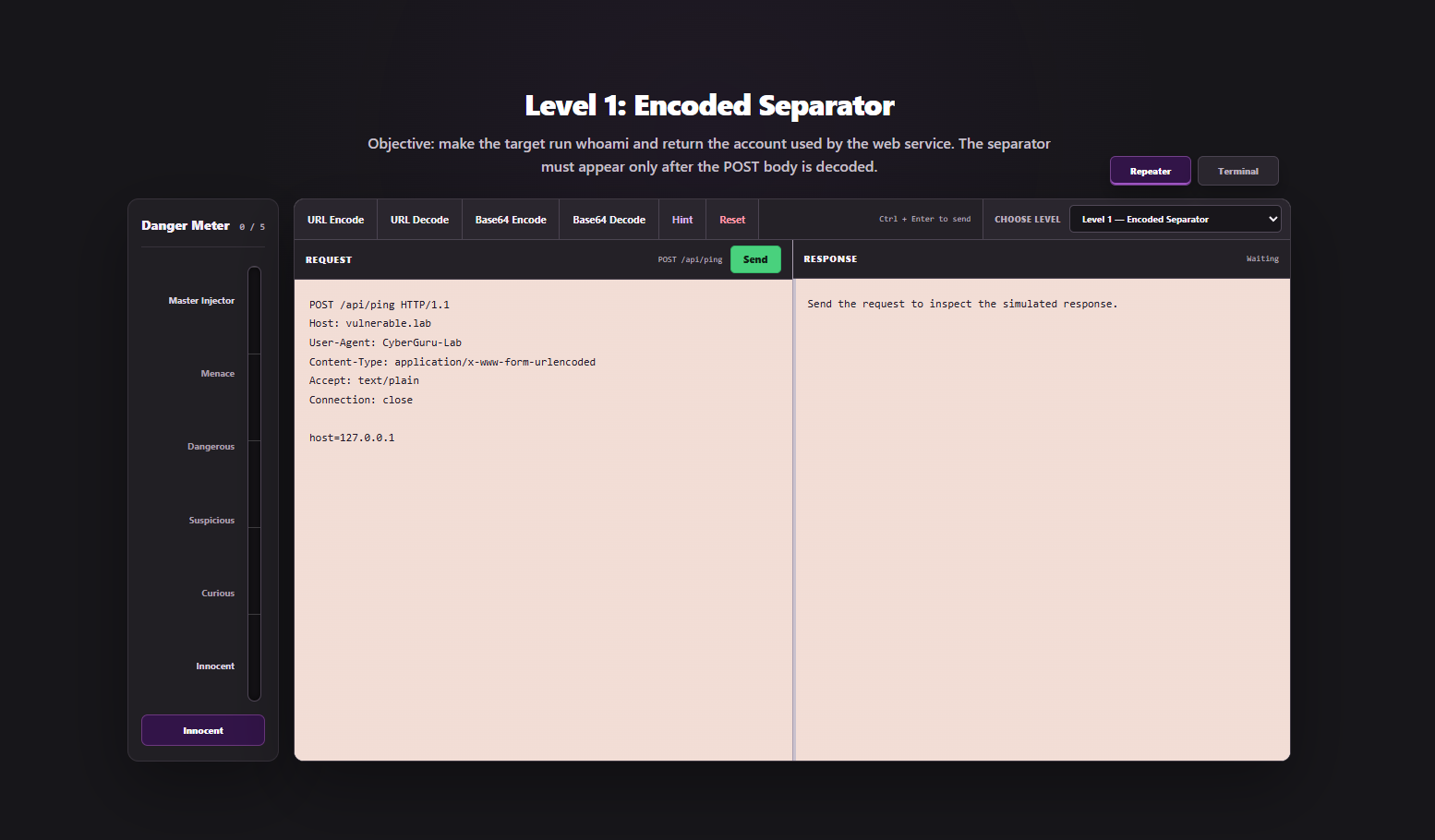
Repeater mode provides an editable raw HTTP request and a simulated response panel. The user edits the host value and sends it to the fictional POST /api/ping endpoint.
Terminal view
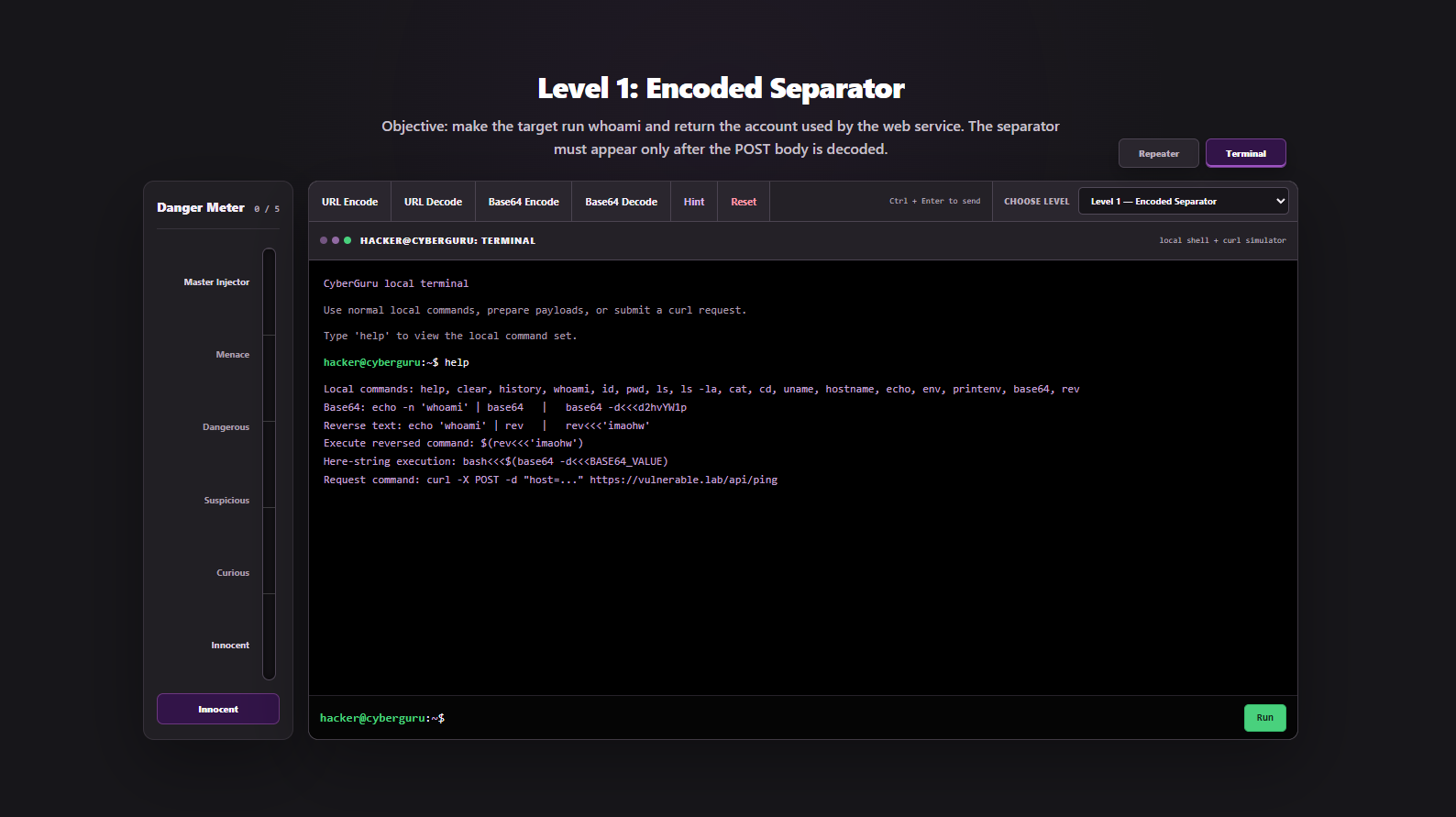
Terminal mode represents the learner’s local Linux machine. It supports a limited set of simulated commands and mock curl requests.
Completed challenge
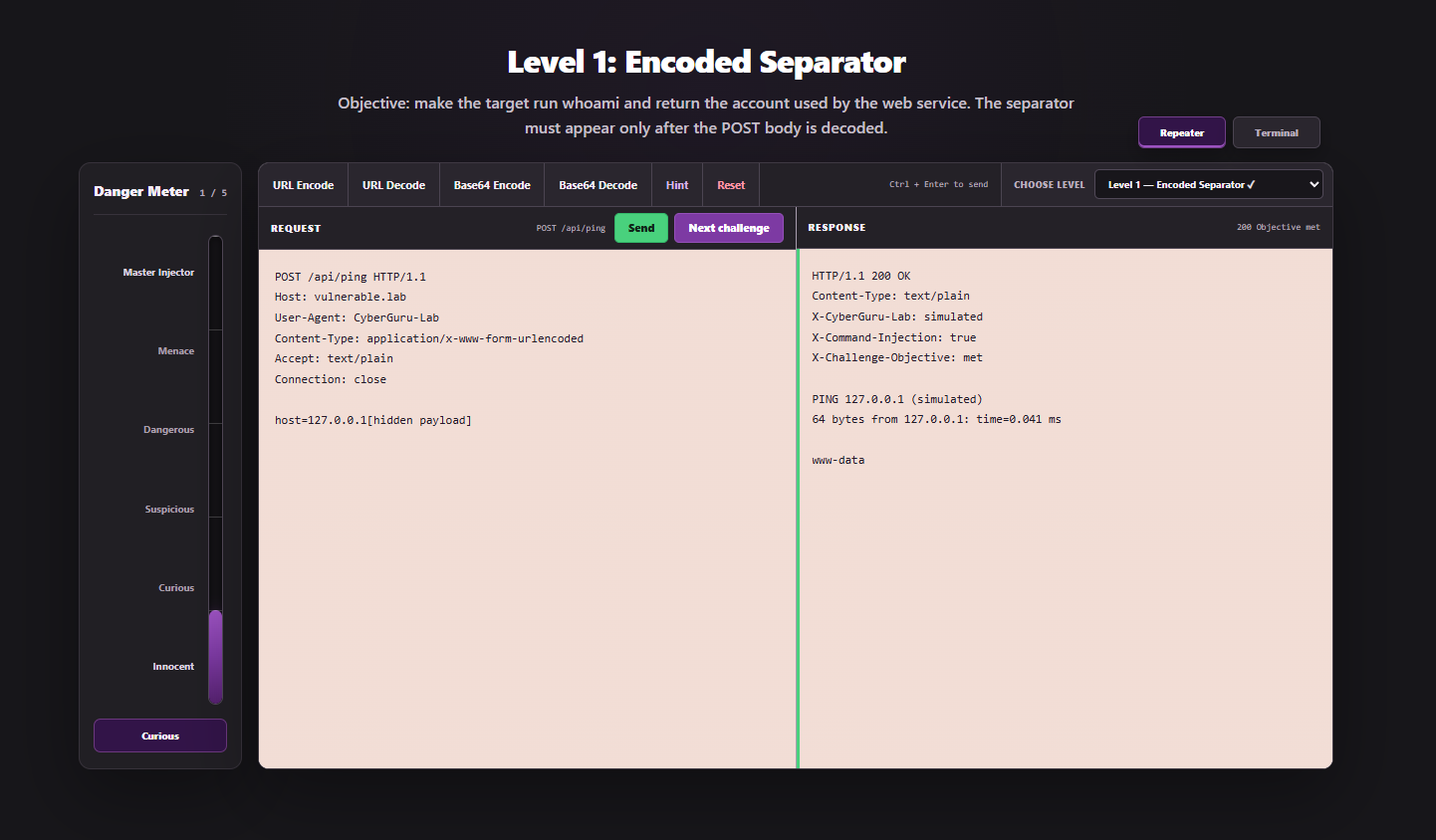
A challenge is completed only when the expected technique is used and the stated objective is reached. The Danger Meter then increases and the next challenge button appears.
Repeater mode
Repeater mode provides an editable raw HTTP request and a simulated response panel.
The request is sent to the fictional POST /api/ping endpoint. The user edits the host value inside the request body and sends it to the simulator.
The parser checks the HTTP method, endpoint, POST body, encoding, separator, command structure, and the objective of the active challenge.
Terminal mode
Terminal mode represents the learner’s local Linux machine. It supports a limited set of simulated commands, including help, clear, history, whoami, id, pwd, ls, cat, cd, uname, hostname, echo, env, printenv, base64, rev, and curl.
Commands injected into the vulnerable server run as www-data.
Challenges
The simulator contains five levels. Each level introduces a different filter or restriction.
| Level | Topic | Objective |
|---|---|---|
| 1 | URL encoded separator | Run whoami |
| 2 | Space bypass | Run ls -la |
| 3 | Blocked path characters | Read /etc/passwd |
| 4 | Blocked command names | Reconstruct and run whoami |
| 5 | Base64 command execution | Return the account line containing UID 33 |
Each challenge must be completed with its intended technique. A solution from an earlier level will not automatically solve a later one.
The full answers are available through solutions.txt inside the simulated terminal.
Usage
The simulator can be opened through the live demo or downloaded from the repository and opened directly in a browser.
git clone https://github.com/hussaaiin/Command-Injection-Sim
cd Command-Injection-Sim
Then open index.html in your browser.
Disclaimer
This project was inspired by the command injection training material in HTB Academy. It is an independent educational project and is not affiliated with or endorsed by Hack The Box.