NextEnum
A Python CLI tool that reads Nmap scan output and helps turn raw open ports into a clearer enumeration plan. It summarizes services, extracts script results, shows service guides, and recommends what to check first.
Overview
NextEnum is a terminal-based helper for the enumeration phase. After running Nmap, a beginner can get stuck looking at many open ports without knowing what to check next. This tool reads the Nmap output and gives a cleaner path forward. It does not exploit machines or automate attacks. It focuses on understanding the scan, reviewing useful script output, and building a manual enumeration plan.
What the tool does
Nmap TXT and XML parsing
Enumeration guides
Recommendation engine
Usage examples
These screenshots show the current CLI workflow using a real scan file inside a Parrot OS lab setup.
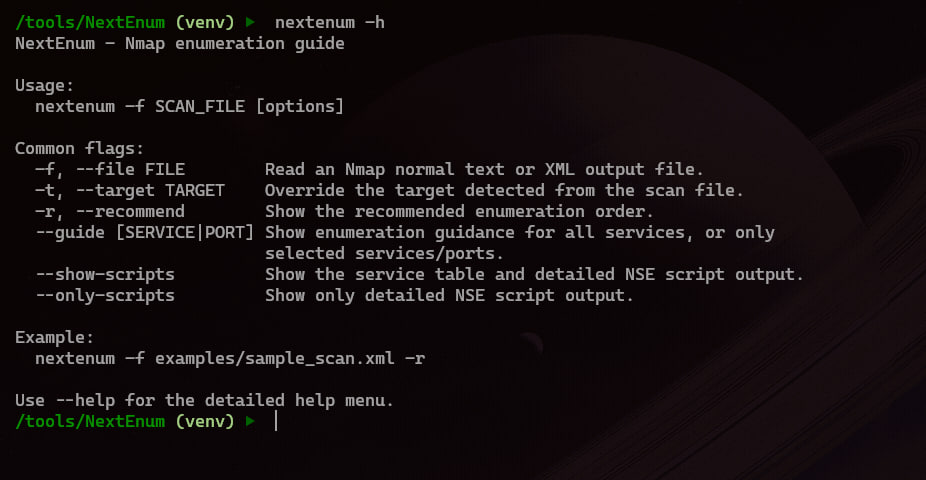
Short help menu
The short help menu keeps the important commands close. It shows the file flag, target override, recommendation mode, guide mode, and script output options without making the user read a long manual first.
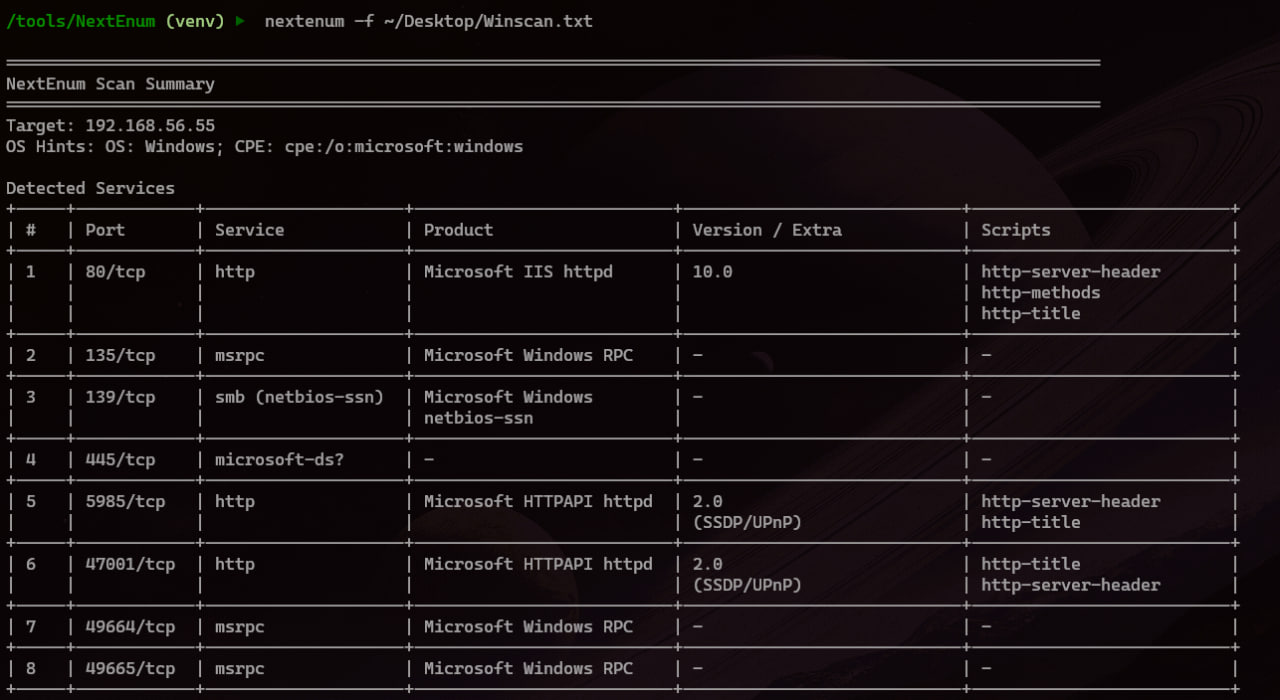
Clean scan summary
The default output parses the Nmap file and shows the detected services in a clean table. It includes the port, normalized service name, product, version, and detected NSE script names.
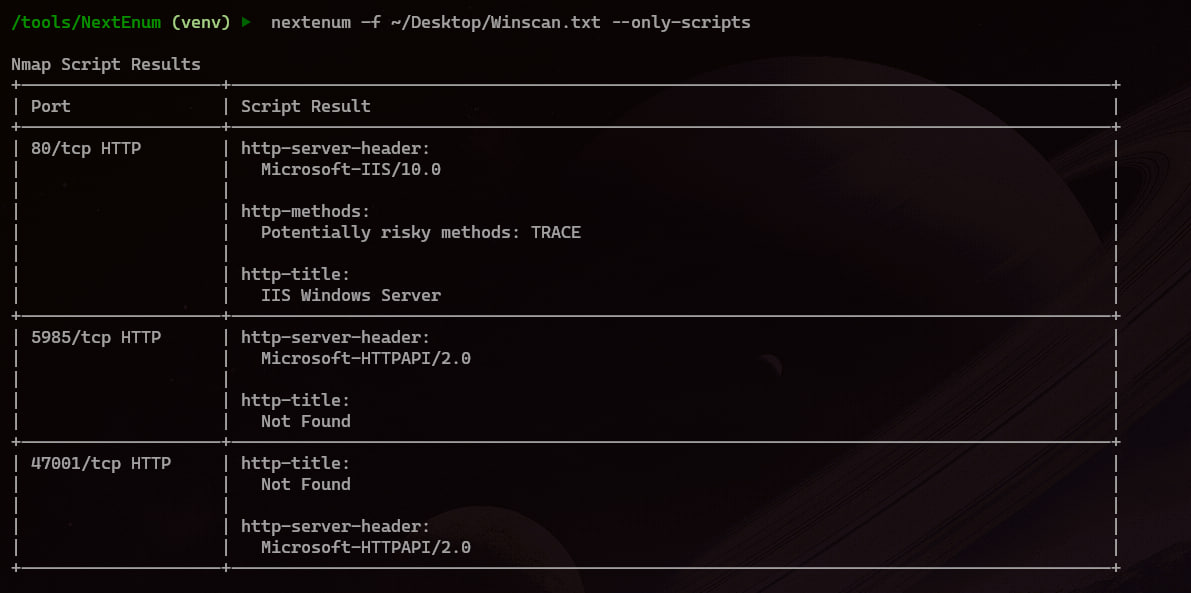
Nmap script output
The —only-scripts mode focuses only on NSE results. This makes it easier to review banners, titles, headers, risky HTTP methods, SMB output, and other useful script findings without scrolling through the full scan again.
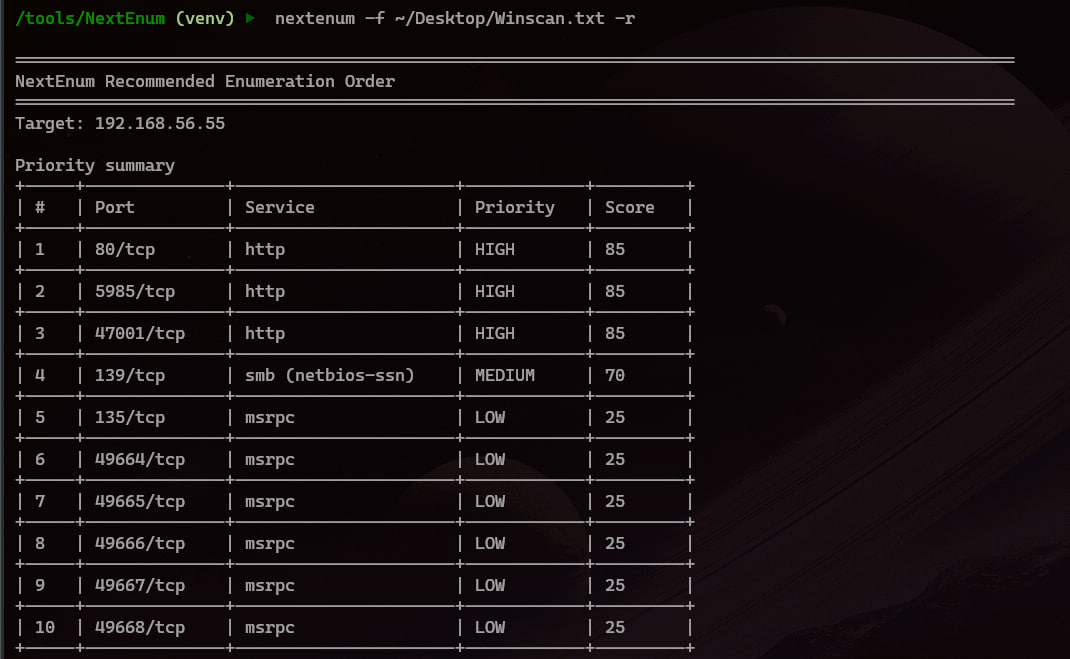
Recommended enumeration order
The -r or —recommend flag sorts services by what is usually worth checking first. The goal is not to say what is exploitable. It gives a practical order so the user has a clear next step after Nmap.
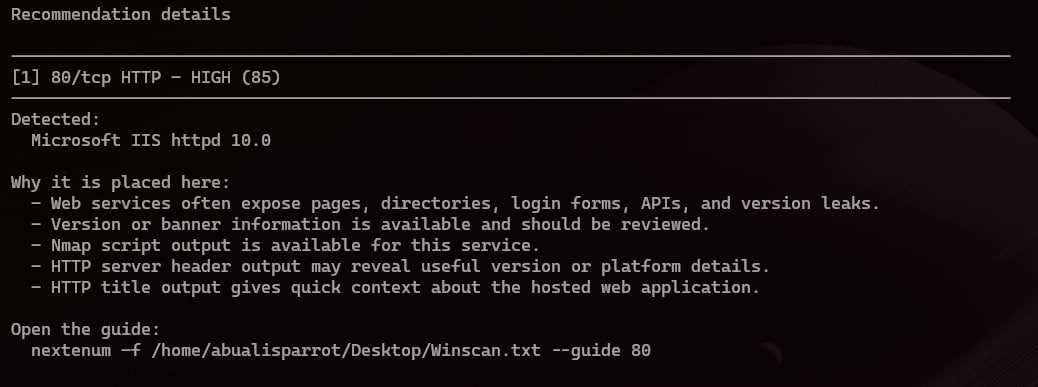
Recommendation reasoning
Each recommendation includes a short reason. For example, HTTP may be placed high because web services can expose pages, login forms, APIs, version leaks, and useful Nmap script output.
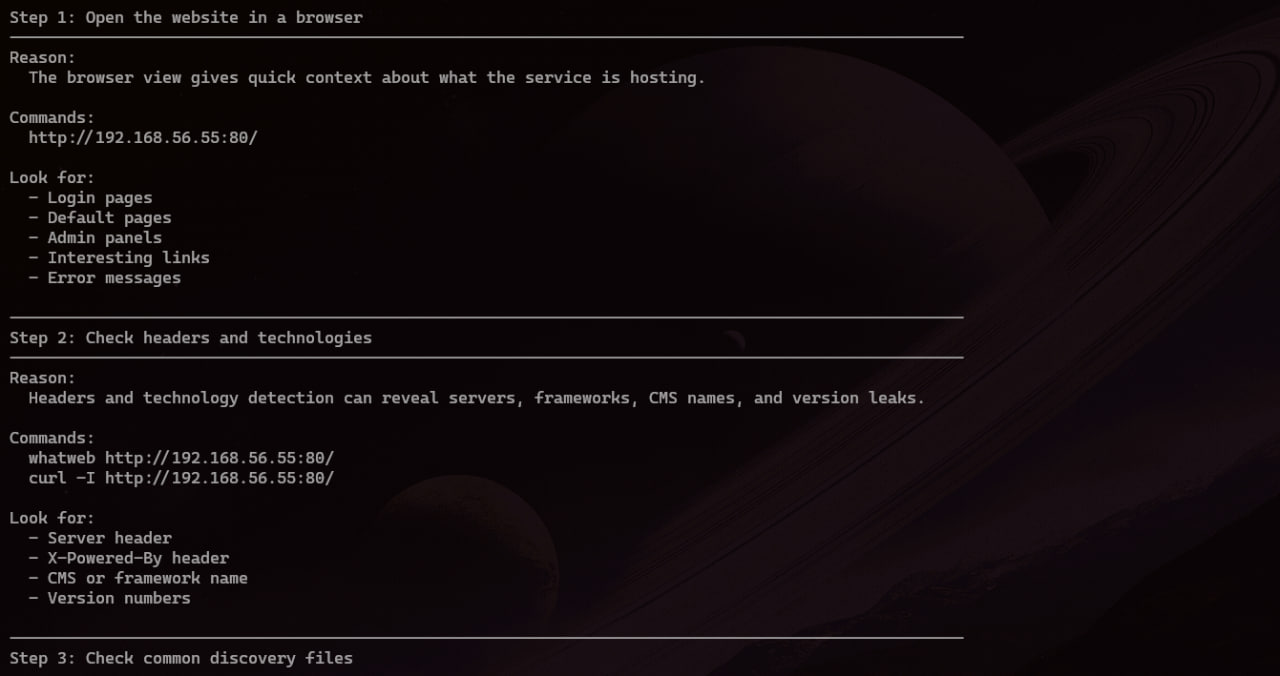
Service guide steps
Service guides explain what to do next in simple steps. The tool gives commands with the target already filled in, then lists what the user should look for during manual enumeration.
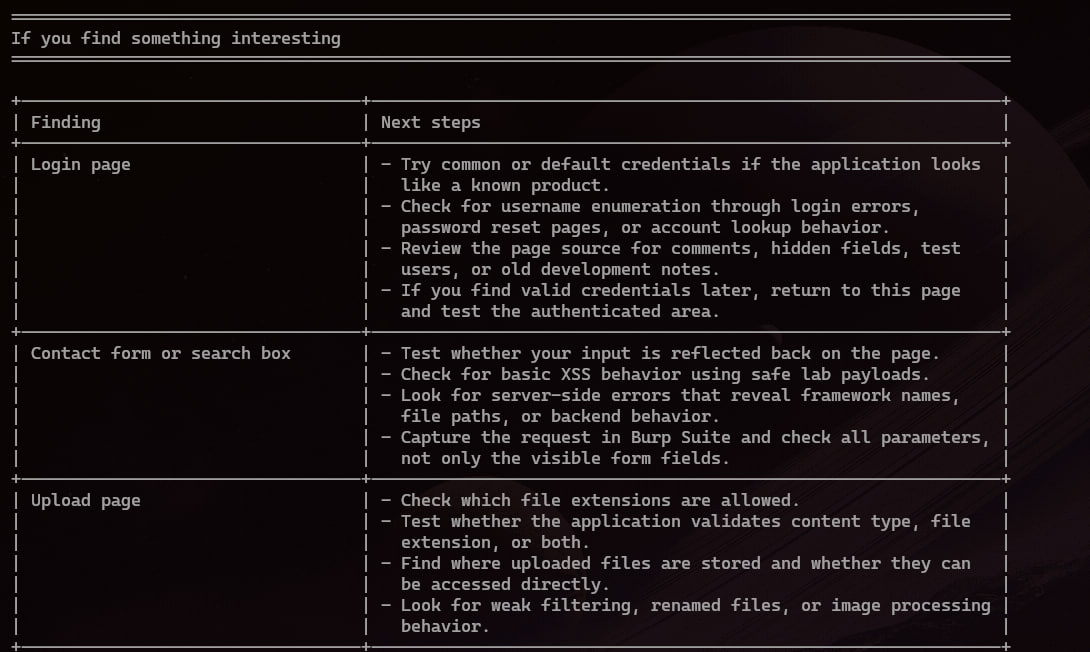
Finding-based next steps
The guides also include notes for interesting findings. If the user sees a login page, upload page, search box, or other common feature, the tool gives a short list of useful checks to consider.
Build approach
I built it in small phases. First I made the Python package and CLI entry point. Then I added the normal Nmap text parser, XML parser, JSON service knowledge base, guide output, and finally the recommendation engine. I also added unit tests while building, so the parsers and scoring logic can be checked after every change.
Main challenges
Parsing Nmap text output
Keeping the guidance useful
Readable terminal layout
What I learned
This project helped me connect Python programming with cybersecurity methodology. I practiced parsing files, working with XML, organizing a small codebase, writing tests, designing CLI output, and thinking more clearly about enumeration priority.
Next steps
The next improvements I want to add are exporting recommendations to a TXT file, adding more service guides, supporting more scan cases, improving version-based hints, and adding a simple command history or notes export feature.